Articles in this topic
Guestbook
Let your guests write you a message on your party website. A message stays private until it is shared. How to add the Guestbook page, what you and your guests can do, and the printable book.
4 min read
Party and event websites only.
A guestbook is the classic keepsake: every guest can write a few lines to you, and you can print them as a book afterwards. Do not mix it up with the gift list (Wish list): the guestbook is for messages, not for gifts.
How it works
A signed-in guest writes a message and chooses who may read it: only you (and the author), or everyone at the party. A message stays private until it is shared; the guest can edit it, delete it and change who reads it later. Guests who are not coming may write too, and so can well-wishers; a banned guest cannot.
On the website the guestbook has two designs: Wall (messages as cards) and List (one under the other). The wall shows only shared messages, newest first, with the author's name and the first letter of the surname.
Add the Guestbook page
-
In the Pages tab click + Add Page and choose Guestbook. If it is greyed out, press Ask my venue to offer this for your event; the guestbook is on by default, so this is rarely needed. For The evening page the guestbook comes with Your table.
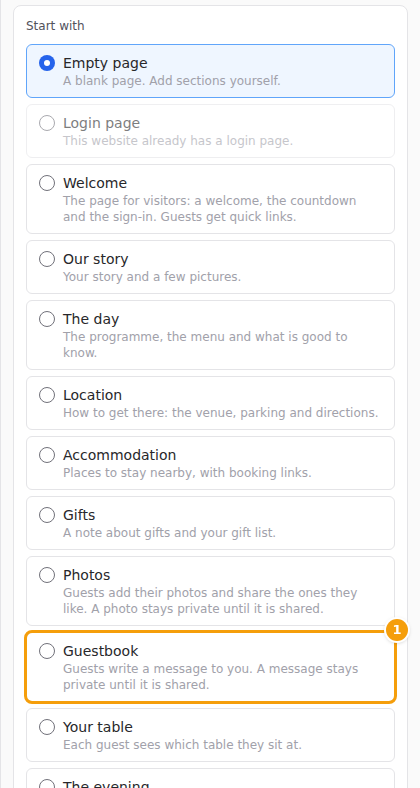
In the Add Page form, choose Guestbook (1) -
Publish your website. Guests see nothing before you publish.
The guestbook is always for signed-in guests only. Removing the page and publishing switches the guestbook off for guests; the messages are kept. The chip next to the section tells you where you stand: Ready: guests can use this, Waiting: publish this page, or Waiting for your confirmation (open events).
Your Guestbook page
Open Guestbook in the menu. You see every message, with the filters All, Private, Shared and Hidden.
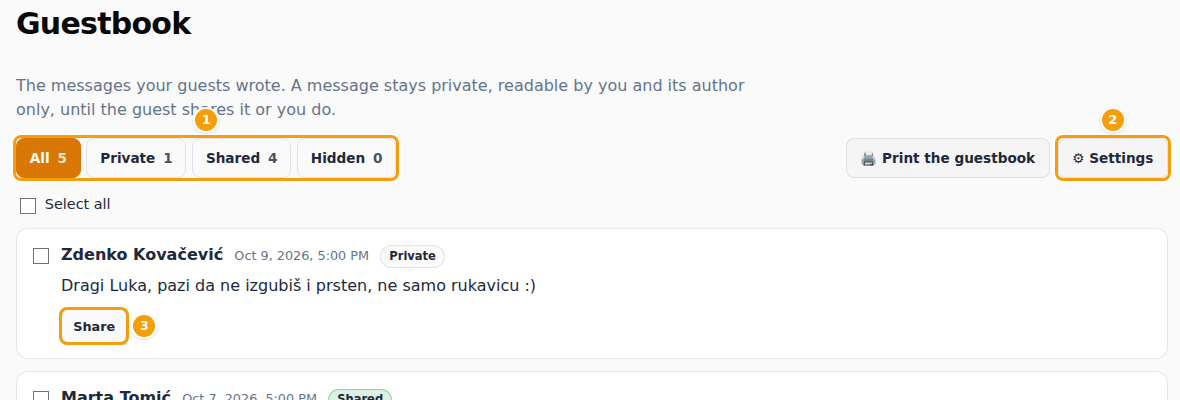
- Share or make private, hide and delete: one message or several selected at once. A hidden message is not on the wall.
- You cannot edit what a guest wrote, only its visibility.
- Print the guestbook makes a printable book of every message that is not hidden, private ones included, because you are their addressee.
Settings
Under Settings on the Guestbook page:
- Preselected choice for a new message — private (the default) or shared.
- Guests may share their own messages — off: every message stays private until you share it.
- Most messages per guest and Guests can write until.
Privacy
Your venue's staff do not read private messages, not even in your organiser area; they see how many there are, and the shared ones. Messages are kept for 12 months after your event, then deleted: print or download the book before then.