Articles in this topic
Who sees a page or a section
On a party website, choose for every page and every section whether everyone, only signed-in guests, or only visitors who are not signed in see it. How the home page and the menu follow, and where guests land after signing in.
6 min read
Party and event websites only — restaurant and location websites don't have this.
A party website can show different things to different people. Every page and every section has a Visibility with three choices:
| Choice | Who sees it | Mark |
|---|---|---|
| Everyone | Visitors and guests | none |
| Signed-in guests only | Only guests who are signed in | a lock, Signed in |
| Only visitors who are not signed in | Only people who have not signed in — it disappears once a guest signs in | a door, Not signed in |
A visitor is anyone who has not signed in on this party. A guest has signed in with the link from the invitation e-mail (or a link the couple sent). You and your venue see everything in the preview.
Choose who sees a page
-
In the Pages tab, rest your mouse on the page and click the gear (Page details).
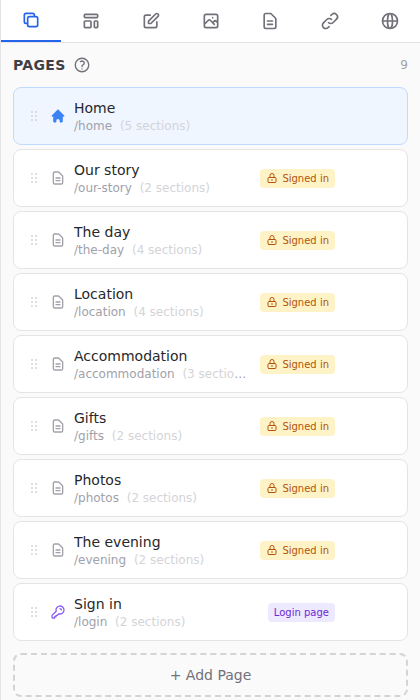
The Pages tab: the mark next to a page says who sees it (1) -
Under Visibility, choose one of the three. The line under it says who finds the page in the menu.
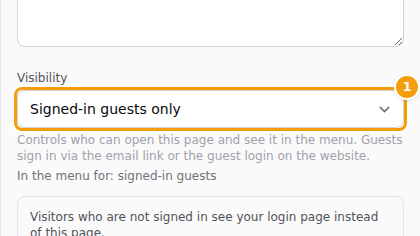
The Visibility choice in the page settings (1) -
Click Save Page Settings, then publish.
When you add a page, the same choice is in the form. A closed party — a wedding with a guest list — starts with Signed-in guests only; the ready-made pages bring their own choice. See Pages.
Important
Visitors only see what is published. Publish after you change a visibility. See Publish your changes.
Choose who sees a section
Open the section in the Editor tab and choose its Visibility. This is how one page can show something to everyone and something else only to guests: put the sections side by side and set each one.
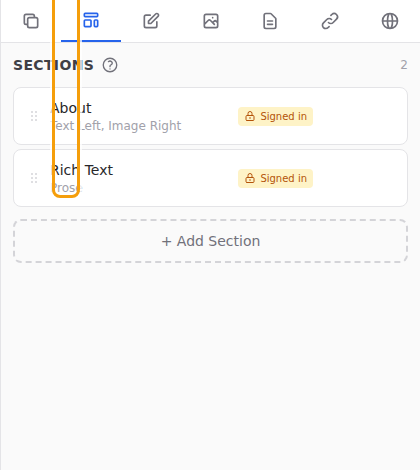
The Photo Wall, the Guestbook and Your table (the guest features) are always for signed-in guests only. The choice is fixed, because a guest feature needs a guest. Next to it a chip tells you whether the feature is ready; see Guest photo sharing.
On the website of a series or a meetup, Who is coming and Member directory are always for signed-in members of the series only, whatever visibility the page or the section has. See The sections for a series.
Good to know
A page that has no section a viewer may see is treated as if it were not there: it is left out of that viewer's menu. A visitor who opens its address on a closed party gets the sign-in page, the same answer as for a page that does not exist.
The home page
The home page is the front door of your website. The usual set-up for a wedding is a public, limited home: the names, the date, a countdown and the sign-in for everyone, and everything else on pages for signed-in guests.
To make the home page a landing page, set it to Only visitors who are not signed in. A guest who signs in is then taken to the page you choose under After sign-in, guests start at (in the settings of the home page). The default is the guest area — the page with the guest's answer and details. To show different things on one page, set the visibility of its sections instead of the page's.
What a closed party shows by default
On a closed party (a guest list, no public sign-up) a stranger sees only the home page's public parts. Everything else is for signed-in guests, search engines are asked to keep the website out of their results, and the venue is not shown — the venue's name, address and link — unless you switch on Show the venue on the public page (Site tab). New pages and sections start private for the same reason.
A website that was made before these rules keeps what it has. The Privacy check tells you what a stranger can still see and fixes it in one click.